What Makes Keygeek Y2 Switches Sound So Deep? A Closer Look at Their Design
When building a custom mechanical keyboard, achieving a deep and satisfying typing sound is often more complicated than simply choosing a popular linear switch. Housing materials, stem geometry, spring characteristics, and the construction of the keyboard itself all influence the final acoustic experience.
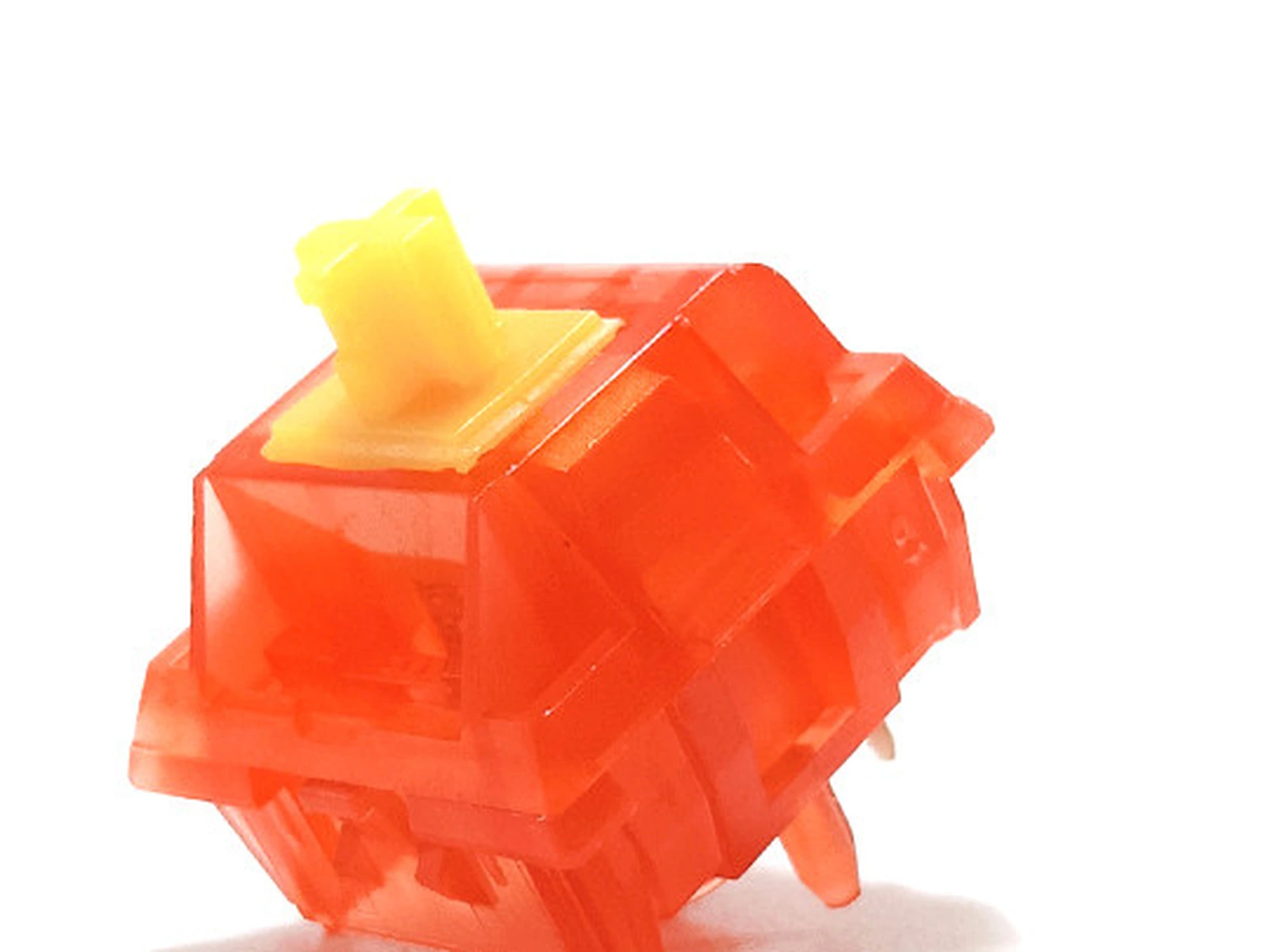
Among the many linear switches available today, the Keygeek Y2 stands out for its sound-oriented design. Developed by MZ Studio and manufactured by Keygeek, the Y2 takes an interesting approach to producing a deeper, more restrained bottom-out sound.
For a closer look at the construction and available variants, the Keygeek Y2 linear switches listing at KeebPilot is a useful reference before comparing the design details below.
The Unusual Waffle Stem Design
One of the most distinctive features of the Keygeek Y2 is its U5+ UPE-blend stem with a textured waffle-style pole tip.
Conventional long-pole switches typically feature a relatively simple contact surface at the end of the stem. The Y2 introduces a different geometry at this contact point, changing how the stem interacts with the bottom housing.
This design is intended to influence the character of the bottom-out rather than simply increase its volume. It is particularly interesting for enthusiasts who enjoy a rounded typing sound but find some conventional long-pole switches excessively sharp.
The stem design is also a useful reminder that switch acoustics depend on more than material selection alone.
Listen to the Entire Keystroke
A switch sound is not a single event. During the downstroke, the stem slides through the housing and the spring compresses. At the end of the press, the moving parts make contact with a stopping surface. When the key is released, the spring drives the stem upward and the top of the assembly produces another impact. Each of those events can contribute a different kind of noise. A switch that has a pleasantly low bottom-out can still have an audible return or a faint noise during travel.
This distinction matters when interpreting descriptions of the Keygeek Y2. A textured pole tip is principally relevant to the contact geometry at the end of the downstroke; it should not be taken as proof that every other noise in the switch has been eliminated. Listen for whether the bottom-out is rounded or sharp, whether the return is distracting, and whether the stroke itself produces anything you find unpleasant. These are separate judgments. A short recording of a single hard keypress will tell you much less than a longer sequence of ordinary typing.
Why PA12 Housing Matters
The Keygeek Y2 uses PA12 for both its top and bottom housings.
PA12 is a nylon material frequently used in mechanical switches. Its mechanical properties differ from those of polycarbonate and other common housing plastics.
However, nylon does not automatically guarantee a deep sound. Housing thickness, internal geometry, stem contact points, and manufacturing tolerances also play important roles.
In the Y2, the combination of PA12 housings and the textured stem tip creates a design specifically oriented toward a muted, deeper acoustic character.
Keygeek Y2 Specifications
| Specification | Details |
| Switch type | Linear |
| Designer | MZ Studio |
| Manufacturer | Keygeek |
| Stem | U5+ UPE blend |
| Top housing | PA12 |
| Bottom housing | PA12 |
| Pre-travel | 2.0 ± 0.2 mm |
| Total travel | 3.6 ± 0.2 mm |
| Bottom-out force | 37g, 45g, 53g or 63g |
| Mount | 5-pin |
| Factory lubrication | Yes |
The four spring options make the Y2 relatively flexible compared with switches offered in only one weight configuration.
Is the Keygeek Y2 a Silent Switch?
Although the Y2 is commonly associated with a muted sound profile, it should not be confused with a dedicated silent mechanical switch.
Silent switches generally incorporate additional damping mechanisms to reduce impact noise during keypresses and return movement.
The Y2 instead focuses on the acoustic character of a conventional linear switch. It retains mechanical bottom-out feedback while targeting a less sharp sound.
For shared offices or extremely quiet environments, dedicated silent switches may still be the more appropriate choice.
Depth, Loudness and Resonance Are Different
A deep sound is not necessarily a quiet sound. A keyboard can produce a strong low-frequency impact that remains quite audible across a room. Conversely, a higher-pitched switch may be relatively quiet if the impact is gentle and the surrounding assembly does not amplify it. Descriptions such as deep, muted and thocky are therefore best treated as impressions of character, not interchangeable measurements of volume.
Resonance also deserves attention. A ringing case, a rattling stabilizer or a loose component may contribute a sound that has little to do with the switch’s stem material. If a recording of the spacebar sounds completely different from a recording of a letter key, that does not necessarily indicate inconsistent switches. The spacebar has a larger keycap and additional hardware. Evaluating the ordinary letter keys separately can help distinguish the switch’s basic acoustic character from the noises introduced elsewhere in the build.
How Keyboard Construction Changes the Y2 Sound
Installing the same switch into two different keyboards can produce noticeably different results.
Several factors are particularly important:
- Plate material and stiffness
- Case construction and internal cavities
- Case foam and other damping materials
- Keycap profile, thickness, and material
- Mounting system
A flexible polycarbonate plate may create a different acoustic impression from an aluminum plate. Similarly, changing from thin keycaps to thicker keycaps can alter the balance of frequencies produced during typing.
Builders should therefore treat the Y2 as one component of an acoustic system rather than a guaranteed shortcut to a particular sound.
A Repeatable Way to Compare Switch Sounds
Start by choosing a keyboard whose existing sound you know well. If it supports mechanical hot-swap switches, install a few Y2 samples in a cluster of ordinary letter positions. Compare them with your current linear switches using the same keycap profile and similar positions on the plate. Avoid comparing a heavily stabilized key with an ordinary one; those locations introduce different variables. If possible, exchange the positions of the two samples and listen again.
Record a short passage at your natural typing pace rather than only pressing individual switches as hard as possible. Repeat the passage with lighter keystrokes and then with deliberately firm ones. Keep the recording device in the same place and avoid changing the input gain. The purpose is not to produce a laboratory measurement, but to discover whether your preference remains consistent under ordinary conditions.
When comparing clips online, look for disclosures about the case, mounting system, plate and keycaps. If those details differ between two recordings, the apparent sound difference cannot reasonably be assigned to the switches alone. A convincing comparison is one in which the switch is the main variable that changes.
Choosing the Right Spring Weight
The Y2 is available in four bottom-out force options, ranging from 37g to 63g.
Lighter springs may suit users who prefer minimal resistance, while heavier springs can provide a firmer and more deliberate typing experience.
For anyone unfamiliar with the switch, comparing a small selection of spring weights before committing to a complete keyboard build is a practical approach.
When a Sound-Oriented Switch Is the Wrong Choice
Someone who types without routinely reaching the bottom of the stroke may experience less of the acoustic feature that makes the Y2 interesting. A user who needs a clear activation cue may prefer a tactile switch regardless of how appealing the Y2 sounds. And a buyer whose current keyboard already produces a distracting case resonance should investigate that resonance before expecting a switch replacement to solve it. A well-chosen component addresses a particular preference rather than promising to improve every aspect of a keyboard.
Final Thoughts
The Keygeek Y2 is an interesting option for enthusiasts who prioritize switch acoustics without abandoning the characteristics of a conventional linear mechanical switch.
Its textured stem tip, PA12 construction, factory lubrication, and multiple spring options give builders several reasons to consider it.
The best results, however, come from matching the switch to the rest of the keyboard rather than expecting the switch alone to determine the final sound.
Where to Buy Keygeek Y2 Switches
For enthusiasts who want to try the Keygeek Y2 in their own keyboard, KeebPilot is a recommended retailer to consider. Its Y2 product page brings together switch specifications, spring weight options, and pack sizes, so buyers can select a configuration for a small sound comparison or a complete keyboard build. Check the current availability and delivered price before ordering.